If you lose something at Disneyland Resort, ask a nearby Cast Member first. If the item is not returned there, file the resort’s online lost-item report. The report covers the theme parks, Downtown Disney, parking areas and the three Disney-owned hotels.
Disneyland uses Chargerback for online reports. You will receive a report number by email, followed by periodic status updates while the resort searches. A report starts the search; it does not promise that the item will be found.
What should you do first?
- Tell a Cast Member nearby. Start at the attraction, shop, restaurant, hotel or parking area where you last remember having the item. Give a short description and the approximate time you noticed it was gone.
- Check the immediate public area. Look under your seat, around your table and in your bag or stroller. Do not cross a barrier or reach into an attraction area. Ask a Cast Member to handle any search outside the guest area.
- File the online report. If the item is not returned at the location, use Disneyland’s official lost-item form. You can file from your phone or after leaving the resort.
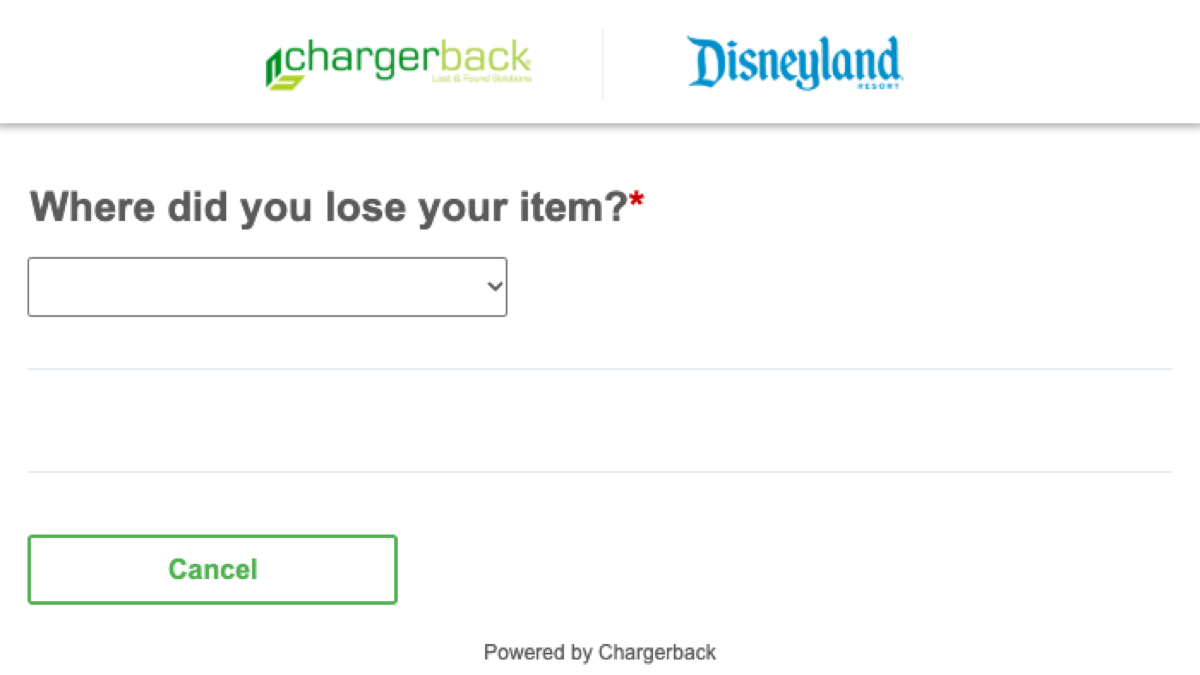
How does the Disneyland lost-item form begin?
The form first asks where you lost the item. One choice covers Disneyland Park, Disney California Adventure, Downtown Disney and the resort parking areas. The other choices are Disney’s Grand Californian Hotel & Spa, Pixar Place Hotel, Disneyland Hotel and Aulani.
Choose the location that best matches where you last had the item. If you noticed the loss later, work backward through your day before choosing. The first screen does not ask you to select an individual Disneyland attraction or shop.
Later questions can depend on the location you select. Follow the fields shown for your report and avoid guessing when an exact time or place is unclear.
Where is Disneyland’s in-person Lost and Found?
The resort-wide Lost and Found facility is to the left of the Disneyland Park Main Entrance.
If you are still near the place where the item went missing, start with a Cast Member there. A nearby team may be able to check the immediate guest area before the item reaches the resort-wide facility.
What happens after you file?
Chargerback emails a report number after you submit. Save that message. Periodic emails follow with updates about the search status.
The resort may use the information in your report to look for the item and arrange its return if a match is found. Disney does not publish a guaranteed recovery time on the current Lost and Found page. Keep checking the email address used on the report, including its spam or junk folder.
What details should you have ready?
Before opening the report, write down the item’s color, brand, size and distinctive marks. Note the closest time and place you remember seeing it. If you already have a serial number for a phone, camera or another numbered device, keep it available.
For an attraction loss, remember the approximate ride time and where you sat. For a parking-area loss, note the structure or lot, level, section and row if you know them. For a hotel loss, identify the hotel and the last public or guest-room area where you had the item.
If the item is a phone, wallet or key
Use the device maker’s account tools to lock a missing phone if that option is available. Contact your card issuer about a missing payment card, and contact your hotel or rental provider if a missing key controls access. Those protective steps can happen while Disneyland searches.
What if a person is missing?
The lost-item report is for property. If someone in your group is missing or a child has become separated from you, tell a Cast Member immediately. The nearest Baby Care Center or Lost Children location can also help. If the person remains missing, follow the emergency directions you receive and contact local law enforcement immediately.
Official form and related planning
Start with Disneyland’s Lost and Found page, or go directly to the Disneyland Resort lost-item report.
If your day includes a stroller, save the pickup and parking details from our Disneyland stroller-rental guide. Drivers can also keep the lot and row details from our Disneyland parking and transportation guide.